How do I classify my client's business when starting a submission?
Pathpoint makes it easy to classify your client's business before submitting.
Use Coverage Finder to select the vertical and coverages you are looking for.
Coverage Finder: Displays available verticals with descriptions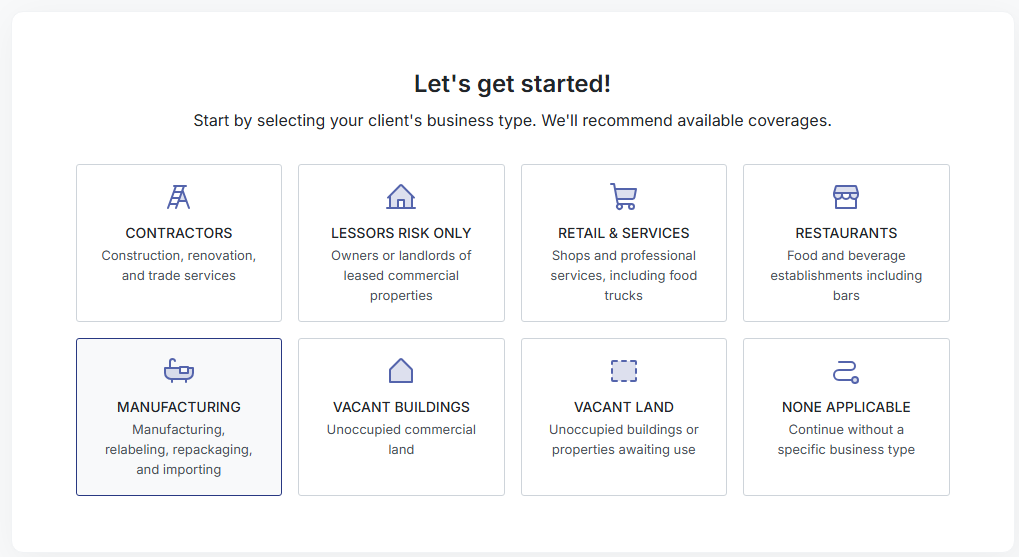
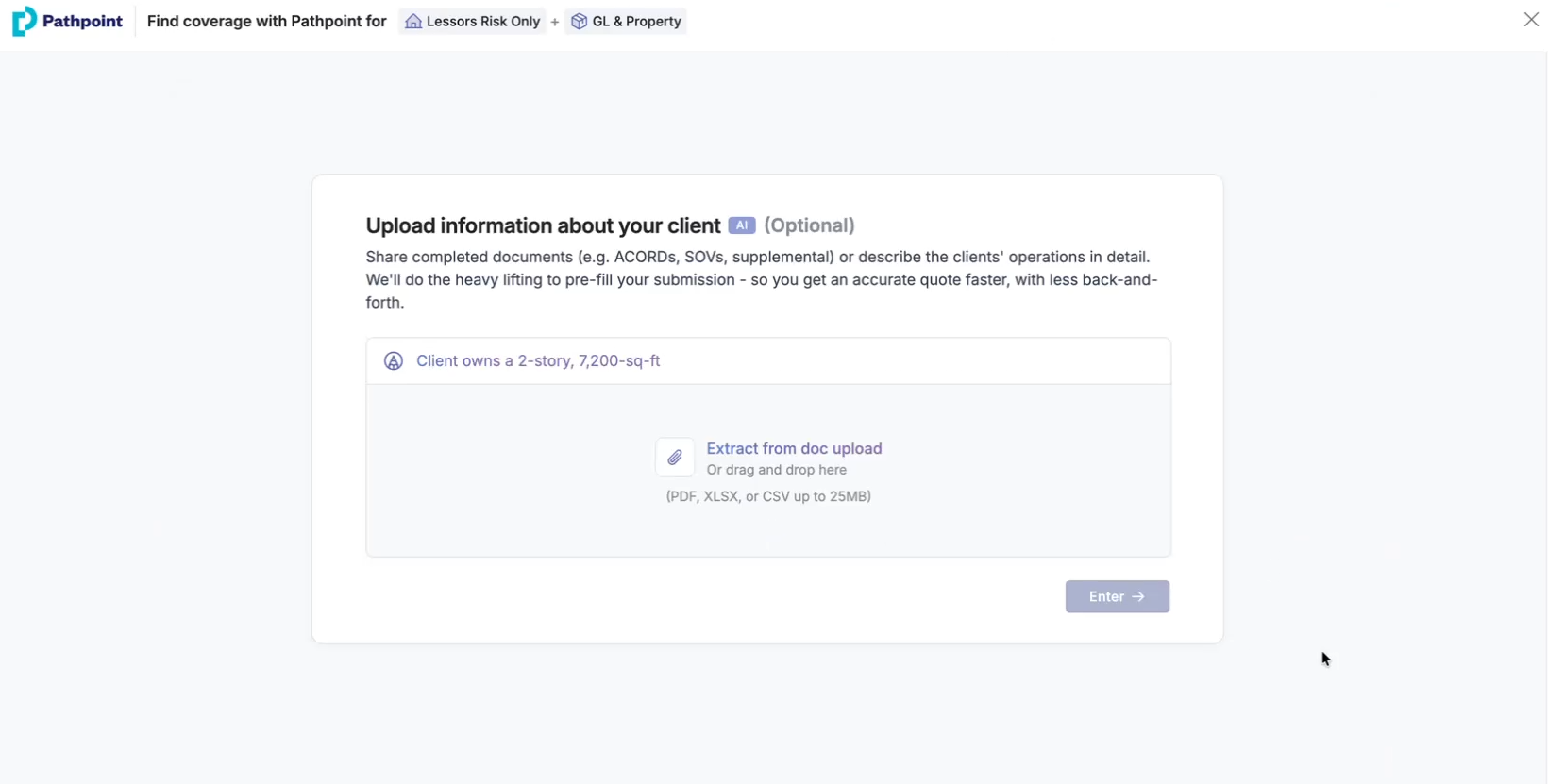
Upload existing documents like ACORDs or supplementals and/or describe your client's operations in a free-form text field, and we'll extract the class of business, pre-filling parts of the application.
Uploaded Documents: We'll pre-fill parts of the application based on the information provided.
If you don't have documents or they lack details on the client's operations, you can search for keywords that describe the client's business type during submission.
The more information you provide, the more we can prefill. Include information like exposures, occupancy, construction, etc.
Below are some examples:
VERTICAL
DESCRIPTION
Contractors
Client performs light installations. Revenue under $250K
Lessor's Risk
Owns 2-story, 7,200-sq-ft office in Poway, CA with 2 units
Monoline Property
Owner-occupied HVAC building, constructed in 1980 with electrical remodel in 2010
Restaurants
Fast-casual burger shop operates from a single-story building. Food sales only, no liquor
Vacants
LLC owns a single-story vacant commercial building. Vacant under 6 months, secured entrances
Retail & Services
Nail salon with licensed technicians operating from a single location
Manufacturing
Small LLC manufacturing custom metal fixtures since 2020
Don't see what you're looking for? Connect your Account Manager anytime.
Watch a Demonstration

This video is hosted on YouTube and requires cookies to view.
YouTube Privacy PolicyFAQs
Can Pathpoint auto-classify my client's business?
Yes, upload supporting documents or enter a brief description of your client's operations, and we'll select a class of business and pre-fill parts of the application for you.
What if I don't have the documents readily available or if the documents don't specify details about the client's operations?
Simply search using keywords that describe those operations on the class of business page when you begin the submission.
What documents work best for auto-classification/pre-filling?
ACORDs, Statements of Values (SOVs), and supplementals tend to best match the information Pathpoint's carriers need to provide a quote. Quote letters, policy documents, and loss runs are also helpful for underwriting. The more relevant details you include, the more we can pre-fill, getting you bindable quotes faster.
What if I don't know the exact class code?
Upload your client's documents or describe their operations, and we'll suggest one for you. You can also click Skip for Now and select from the Class of Business page later.
What if I don’t see the right class or vertical in the results?
Try refining your search terms or checking the common searches below the search bar for helpful suggestions
Can I go back and change my selection?
Yes, click Back anytime to return to the vertical/class options and make a new selection.
Can I add multiple class codes to one submission?
Absolutely, you can add as many classes as needed on the Class of Business page before finalizing your submission.
What if I select the wrong vertical?
Click Back to select the correct vertical or class. Skipping class code selection lets you review appetite summaries for a vertical without committing to a specific classification.
Related Articles
How do I quote business with Pathpoint?
How do I check Pathpoint's appetite?